
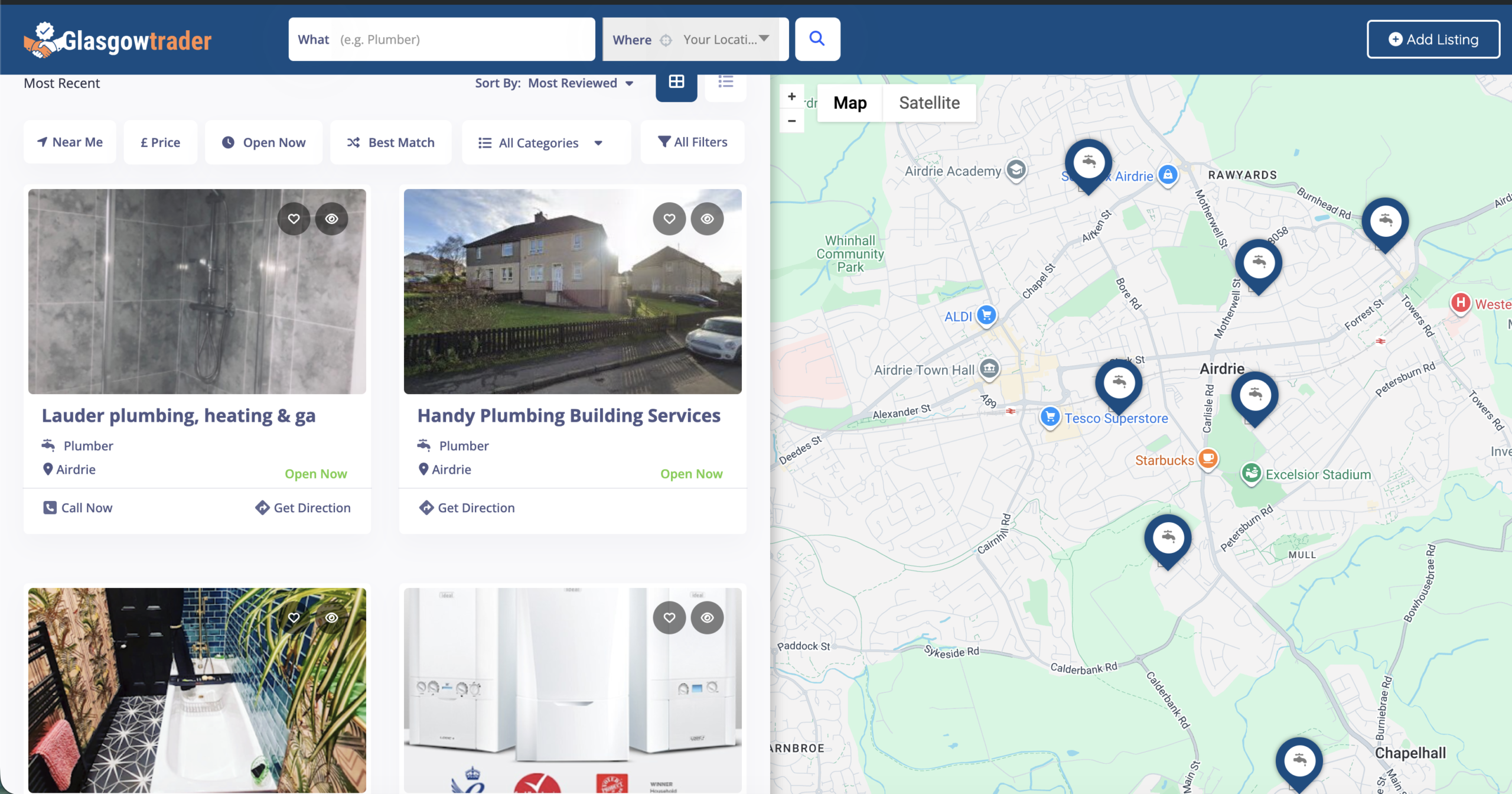
Glasgow Traders AutoPipe
A production-grade data engineering pipeline that automatically discovers, enriches, and publishes Glasgow business listings from Google Maps to a WordPress directory site.
Built as a portfolio project demonstrating end-to-end data engineering: API ingestion, change detection, database staging, data transformation, automated publishing, orchestration, and monitoring.
Google Places API
       │
       ▼
┌──────────────┐     ┌──────────────┐     ┌──────────────┐
│   Discovery  │────▶│  PostgreSQL   │────▶│     dbt      │
│  (Python)    │     │  Staging DB   │     │  Transform   │
└──────────────┘     └──────────────┘     └──────────────┘
       │                                          │
       ▼                                          ▼
┌──────────────┐     ┌──────────────┐     ┌──────────────┐
│    Redis     │     │  Change Det. │     │  ListingPro  │
│   Cache      │     │  SHA-256     │     │  Publisher   │
└──────────────┘     └──────────────┘     └──────────────┘
                                                  │
                                                  ▼
                     ┌──────────────┐     ┌──────────────┐
                     │   Airflow    │     │  WordPress   │
                     │ Orchestrator │     │  REST API    │
                     └──────────────┘     └──────────────┘
                            │
                            ▼
                     ┌──────────────┐
                     │    Slack     │
                     │  Monitoring  │
                     └──────────────┘
| Component | Technology | Purpose |
|---|---|---|
| Ingestion | Python + Google Places API | Discover and enrich business data |
| Caching | Redis | Avoid redundant API calls, reduce costs |
| Staging | PostgreSQL 16 | Store raw business data with change tracking |
| Transform | dbt | Data quality scoring, phone normalization |
| Publishing | WordPress REST API + ListingPro | Live business directory website |
| Orchestration | Apache Airflow 2.9 | Schedule and monitor pipeline runs |
| Monitoring | Slack Webhooks | Real-time pipeline alerts |
| Infrastructure | Docker Compose | Local development environment |
- Automated Discovery: Paginates through Google Places API to find all businesses in a category across Glasgow
- SHA-256 Change Detection: Only processes businesses that are new or have changed since last scan
- Duplicate Prevention: Checks existing WordPress listings before creating new ones
- Full Enrichment: Pulls phone, website, address, coordinates, opening hours, rating, and up to 4 photos per business
- ListingPro Integration: Writes to the serialized
lp_listingpro_optionsarray for full sidebar rendering (map, phone button, website link) - Closure Detection: Automatically unpublishes businesses marked as permanently closed on Google
- Slack Monitoring: Rich notifications for pipeline runs, new listings, and failures
This was the hardest engineering challenge in the project and demonstrates diagnostic-driven debugging.
ListingPro is a premium WordPress directory theme. When creating listings via the WordPress REST API, the sidebar fields (phone number, Google Map, website link, business hours) appeared blank — even though the API returned 200 OK.
Every attempt to set meta fields like phone, gAddress, latitude, longitude via the standard REST API meta parameter was silently ignored. The WordPress REST API only accepts meta keys that have been registered via register_meta(), and ListingPro never made that registration call.
Step 1: Built a diagnostic script that probed the REST API to discover the actual data structure:
# Fetched all meta from a working listing
curl /wp-json/glasgow-traders/v1/listing-meta/26800
Step 2: The diagnostic revealed the root cause. ListingPro doesn't store phone, address, or coordinates as individual meta keys. It packs ALL listing data into a single serialized PHP array stored under the key lp_listingpro_options:
// What ListingPro templates actually read:
$options = get_post_meta($post_id, 'lp_listingpro_options', true);
echo $options['phone'];        // Sidebar phone button
echo $options['gAddress'];     // Map location
echo $options['latitude'];     // Map pin
This meant that writing meta.phone = "0141 468 9930" to the REST API created a separate phone meta key that ListingPro's templates never looked at.
Step 3: Built a custom WordPress plugin (gt-listingpro-rest-bridge.php) that exposes a custom REST endpoint:
POST /wp-json/glasgow-traders/v1/listing-options/{post_id}
This endpoint reads the existing serialized array, merges the new data into it, and saves it back — exactly matching how ListingPro's own admin form stores data.
Step 4: The gallery discovery. Even after fixing the sidebar, the hero image was blank. The diagnostic revealed that ListingPro reads gallery images from a separate meta key gallery_image_ids (comma-separated media IDs), not from WordPress's standard featured_media field. The plugin was extended to register this key with register_meta().
After the diagnostic-driven fix, automated listings render with full professional design: photo gallery, interactive Google Map, clickable phone number, website link, business hours, and category breadcrumbs — identical to manually-created listings.
The standard approach of reading documentation or guessing at API fields would have taken days. The diagnostic approach — probing the actual database, inspecting working listings, comparing against broken ones — solved it in hours. This is the difference between junior "try-and-see" debugging and senior "measure-then-fix" engineering.
glasgowtraders-autopipe/
├── dags/
│   ├── dag_full_pipeline.py      # Weekly full discovery DAG
│   ├── dag_delta_monitor.py      # Hourly change detection DAG
│   └── slack_notifier.py         # Rich Slack notifications
├── ingestion/
│   ├── google_places_client.py   # Google Places API client
│   └── __init__.py
├── staging/
│   ├── schema.sql                # PostgreSQL staging schema
│   ├── change_detector.py        # SHA-256 upsert logic
│   └── __init__.py
├── publisher/
│   ├── wordpress_client.py       # ListingPro publisher
│   └── __init__.py
├── dbt/
│   ├── dbt_project.yml
│   ├── profiles.yml
│   └── models/
│       ├── staging/
│       │   ├── stg_raw_listings.sql
│       │   └── schema.yml
│       └── intermediate/
│           └── int_listings_enriched.sql
├── snipe_one_plumber.py          # Standalone single-listing tool
├── diagnose_listingpro.py        # REST API diagnostic tool
├── docker-compose.yml            # Local dev environment
├── .gitignore
└── README.md
- Docker and Docker Compose
- Python 3.10+
- Google Places API key
- WordPress site with ListingPro theme
- Glasgow Traders REST Bridge plugin installed
# Clone the repo
git clone https://github.com/Larious/glasgowtraders-autopipe.git
cd glasgowtraders-autopipe

# Create .env file with your credentials
cp .env.example .env
# Edit .env with your API keys

# Start infrastructure
docker compose up -d

# Run the diagnostic to verify ListingPro connection
python3 diagnose_listingpro.py

# Create a single listing to test
python3 snipe_one_plumber.py

# Test the Airflow DAG
docker compose exec airflow airflow dags test glasgow_traders_full_pipeline 2026-04-01
GOOGLE_PLACES_API_KEY=your_google_api_key
WP_BASE_URL=https://your-site.com
WP_USERNAME=your_wp_user
WP_APP_PASSWORD=your_app_password
SLACK_WEBHOOK_URL=your_slack_webhook
POSTGRES_HOST=localhost
POSTGRES_PORT=5432
POSTGRES_DB=glasgow_traders
POSTGRES_USER=pipeline
POSTGRES_PASSWORD=your_db_password
REDIS_URL=redis://localhost:6379
The pipeline sends rich Slack notifications for every run:
- ✅ Weekly scan complete: Lists new businesses discovered and published
- ℹ️ Delta monitor: Reports new businesses and closures detected
- ⚠️ Closures: Alerts when businesses are marked closed on Google
- 🚨 Failures: Immediate alert if any pipeline task fails
- Phase 1: Project scaffold and Docker infrastructure
- Phase 2: Google Places API discovery with Redis caching
- Phase 3: PostgreSQL staging with SHA-256 change detection
- Phase 4: dbt data transformation models
- Phase 5: ListingPro publisher with full sidebar integration
- Phase 6: Airflow DAG orchestration with Slack monitoring
- Phase 7: AWS deployment with Terraform
- Phase 8: Expand to all Glasgow trade categories
- Categories
- Data Engineering
- Project URL
- https://github.com/Larious/glasgowtraders-autopipe