
DataForge Energy — Daily Load Analyzer
A Python data pipeline that ingests, validates, and summarises daily energy meter readings from multiple regional CSV files.
Built as a data engineering case study project.
DataForge Energy collects hourly power consumption data from smart meters across four regions. Raw data arrives daily with quality issues including missing values, duplicate meter IDs, negative readings, and out-of-range timestamps. This pipeline automates detection and reporting of these issues.
Raw CSV Files (Bronze) ↓ Data Validation & Cleaning (Silver) ↓ Regional Aggregation & Anomaly Detection (Gold) ↓ JSON + CSV Summary Report (Output)
- Reads and processes multiple CSV files in one run
- Validates each record against defined quality rules
- Detects duplicate meter IDs using set-based logic
- Flags high consumption meters (> 250 kWh threshold)
- Validates timestamps against expected date range
- Generates regional summaries (avg kWh, record counts)
- Exports results as both JSON and CSV reports
- Python 3
- Jupyter Notebook (VS Code)
- Libraries: csv, os, json (all built-in)
- 4 regional files (east, north, south, west)
- 2,400 rows per file — 9,600 total records
- Fields: timestamp, meter_id, region, consumption_kwh
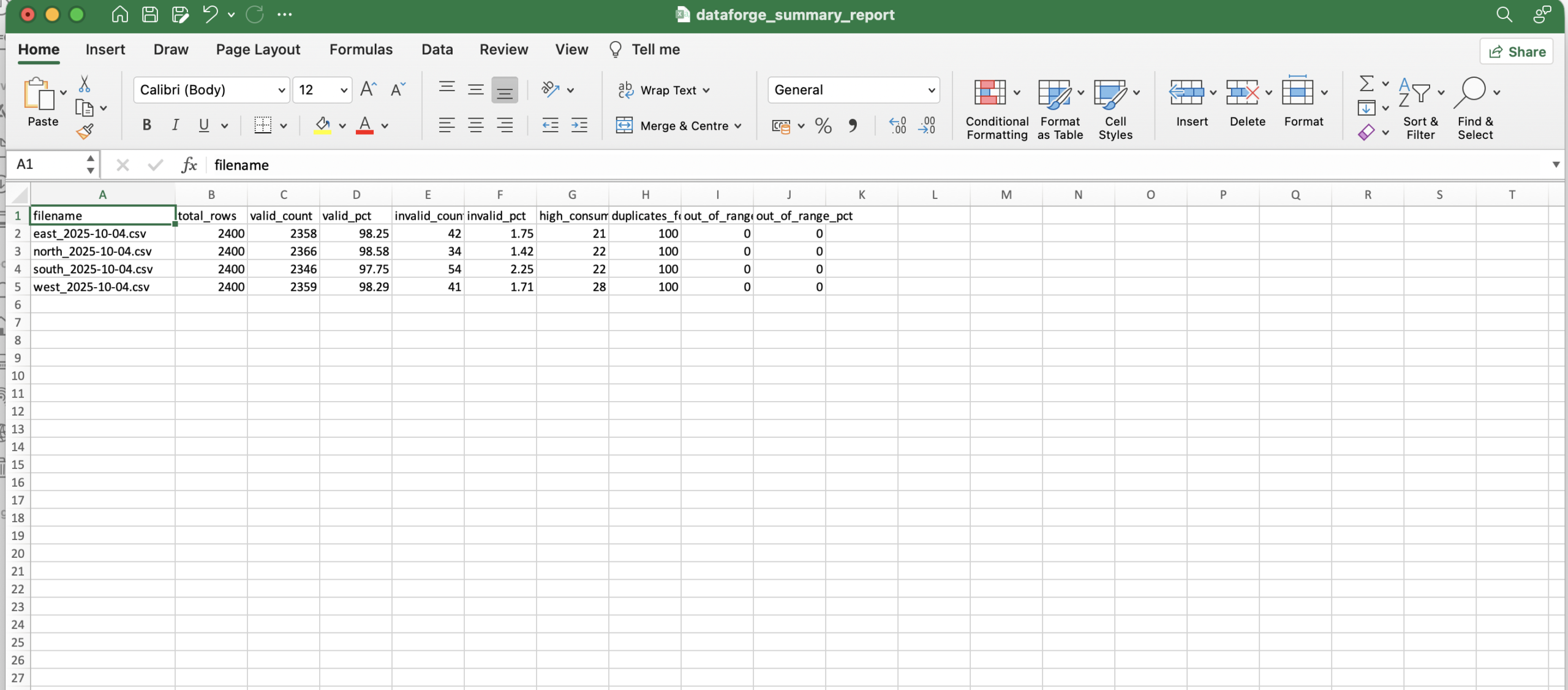
| Metric | Value |
|---|---|
| Total records processed | 9,600 |
| Total invalid rows detected | 171 |
| Total duplicate meters found | 400 |
| Files processed | 4 |
- Data validation and quality checking
- Medallion architecture (Bronze → Silver → Gold)
- Duplicate detection using Python sets
- Aggregation using nested dictionaries
- Error handling with try/except
- Pipeline orchestration across multiple files
- Structured reporting in JSON and CSV
- Clone the repository
- Place CSV files in the project folder
- Open
daily_load_analyzer.ipynbin VS Code - Click Run All
- Check output files:
dataforge_summary_report.jsonanddataforge_summary_report.csv
Share
- Categories
- Data Engineering
- Project URL
- https://github.com/Larious/Dataforge-daily-load-analyzer